Welcome to vpf-730’s documentation!
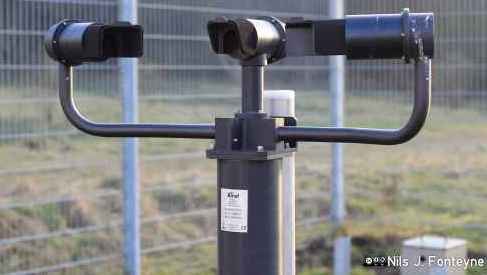
The vpf-730 package allows communication with the Biral VPF-730
Present weather sensor. The package implements a logger allowing to continuously
log data from the sensor and store it in a local database and a sender
allowing to send data to a remote server via http requests.
Quickstart
Installation
To install vpf-730, open an interactive shell and run
pip install vpf-730
You can also install the sentry SDK for error monitoring
pip install vpf-730[sentry]
Using vpf-730
vpf-730 can be used as a standalone CLI tool with limited configuration and features or as a library to build your own tool.
The tool consists of two parts. A logger for communicating and logging the sensor data and a sender for sending the data to
a remote server.
When using the
loggeras a CLI tool see Configuration for detailed usage. Get started with:vpf-730 logger --serial-port /dev/ttyS0
When using the
senderas a CLI tool see Configuration for detailed usage. Get started with:VPF730_API_KEY=deadbeef vpf-730 sender \ --get-endpoint "https://api.example/com/vpf-730/status" \ --post-endpoint "https://api.example/com/vpf-730/data"
When using the
comminterface to manually sendASCIIcommands to the Sensor. Information about the available commands can be found in the Biral VPF-730 Manual starting on page 56. Get started with a remote self-test and monitoring messageR?:vpf-730 comm --serial-port /dev/ttyUSB0 R?
When building your own tooling see Package for detailed examples. Get started with:
  from vpf_730 import VPF730

  vpf730 = VPF730(port='/dev/ttyS1')
  print(vpf730.measure())